AI Pattern Vectoriser: Turn Your Patterns into Print-Ready Vector Files

A pattern can look perfectly finished on screen and still require additional preparation before it is ready for professional printing. Raster images work well for digital printing, but production methods such as rotary and screen printing, as well as knitted products like socks, carpets and jacquard textiles, often require vector artwork with clearly defined colours and editable shapes.
Patterned AI’s Vectorise tool converts raster patterns and illustrations into clean, scalable vector files while giving you control over the number of colours in the finished design. You can preserve seamless repeats, prepare individual colour separations and export files suited to different professional printing workflows.
What Is Vectorise Tool?
Vectorise transforms PNG, JPG and WEBP images into editable vector artwork built from shapes and paths rather than pixels.
Because vector graphics are not tied to a fixed resolution, they can be enlarged or reduced without becoming blurry. This makes them especially useful for textile printing, wallpaper, packaging, screen printing and other applications where the same design may need to be produced at several different scales.
The tool can be used with:
- Seamless repeat patterns
- Placement prints
- Standalone illustrations
- Scanned artwork
- AI-generated images
- Logo-style graphics
- Screen-print designs
Unlike a general image-tracing workflow, Vectorise includes a dedicated seamless setting that helps maintain the repeat structure of pattern tiles during conversion (use Seamless Checker if you are unsure whether your pattern is seamless).
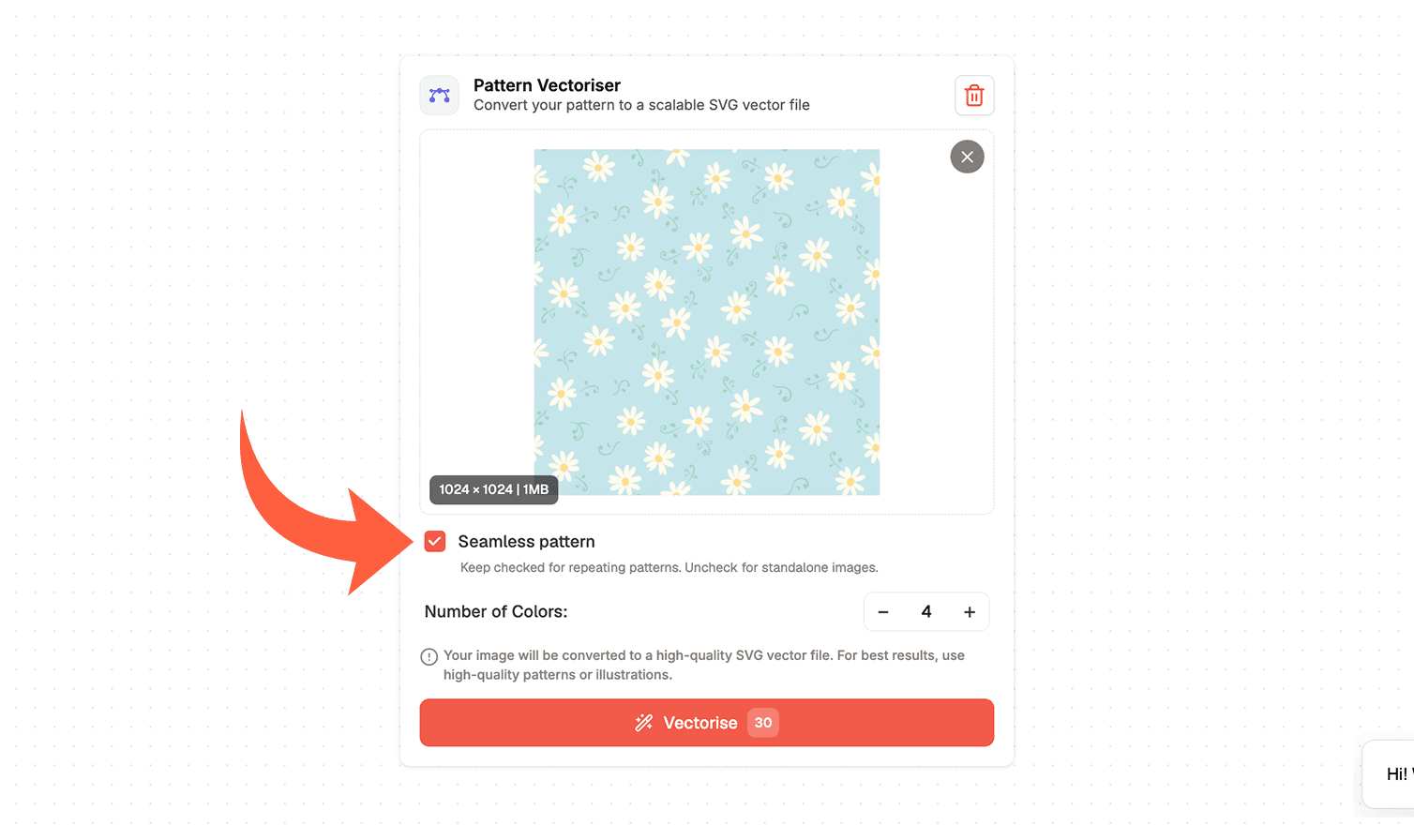
How to Vectorise a Pattern
1. Upload Your Artwork
Begin by uploading a PNG, JPG or WEBP file. This can be a pattern created in Patterned AI, an imported repeat tile, a placement design or a standalone illustration.
For the cleanest result, begin with artwork that has clear shapes and sufficient resolution. If the original image is particularly small or soft, you can use the Upscale tool before vectorising it.
2. Choose Seamless or Standalone Mode
Keep the Seamless Pattern option enabled when uploading a repeat tile. This tells the tool to preserve the pattern’s repeating structure so the finished vector file can continue tiling correctly.
Turn the option off when working with a standalone illustration, motif, placement print, logo or other artwork that is not intended to repeat.
This distinction is especially important for surface pattern designers. A standard tracing tool may change shapes along the edges of the tile, creating visible breaks when the design repeats. Vectorise is designed to process the artwork while maintaining its seamless construction.
3. Select the Number of Colours
Choose the colour count based on your design and printing method.
In screen printing, each colour requires a separate screen, so more colours increase production costs and the risk of misalignment between layers.
Rotary screen printing typically uses up to 6–12 solid colours, while flat screen printing often uses 1–4. Fewer colours make production simpler and more affordable, while more colours preserve additional detail and tonal variation.
Both methods require flat, separated colours without gradients or transparency. Always confirm the final colour limit and file requirements with your printer.
For example, a bold geometric print may only require four or five colours, while an intricate floral pattern may need a larger palette to retain its depth and detail.
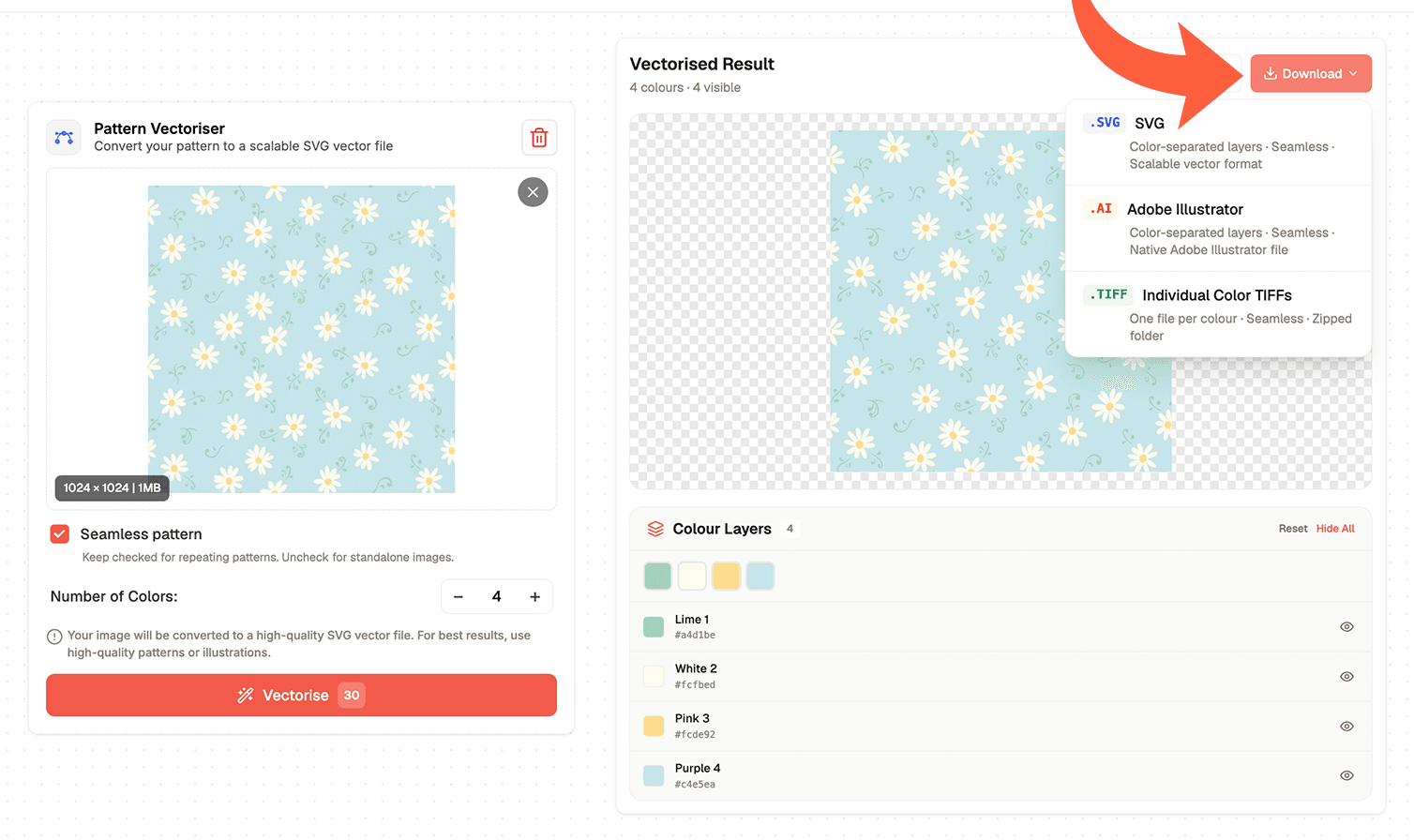
4. Review and Export Your Files
Once the design has been processed, review the converted artwork and make sure the chosen colour count captures the most important forms and details.
You can then export the design in the format that best suits your workflow:
SVG
A scalable and widely supported vector format that is useful for editing, digital applications and many production workflows.
Adobe Illustrator file
A native Illustrator file with separated colour layers, designed for further editing and professional print preparation.
Individual colour TIFFs
A zipped collection containing one TIFF file for each colour separation. This format is useful for screen-printing workflows in which every colour must be prepared individually.
*Available export formats depend on your Patterned AI subscription.
Tips for Preparing Patterns for Production
- Use a limited number of clearly separated flat colours for screen and rotary printing, as each colour requires its own production layer.
- Choose fewer colours for cleaner shapes, simpler separations and lower production costs.
- Add more colours only when they are needed to preserve important details.
- Make sure the main motifs remain recognisable without retaining unnecessary tiny colour variations.
- Keep Seamless Pattern mode enabled when vectorising a repeat tile, then test the repeat before production.
- Untick Seamless Pattern when preparing a standalone or placement print that is not designed to repeat.
- Use Vectorise for editable SVG or Illustrator files, colour separations and scalable artwork.
- Use Upscale for larger high-resolution PNGs with gradients, painterly details or photographic textures.
From Digital Pattern to Flexible Production File
Preparing artwork for printing does not need to mean manually redrawing every motif or rebuilding an entire repeat in Illustrator.
Patterned AI’s Vectorise tool gives pattern designers, brands and textile professionals a faster way to convert raster artwork into scalable files with cleaner shapes and controlled colour palettes. Whether you are preparing a seamless textile repeat, a placement graphic or an illustration for screen printing, you can create files that are easier to edit, separate and adapt for production.