Create Seamless Patterns from Images

Creating a seamless pattern does not always have to start with a blank canvas. Sometimes the best starting point is already in front of you: a vintage fabric photo, a hand-drawn sketch, a product image, or a texture you want to turn into a repeat.
That’s where From Image comes in.
From Image is an AI-powered tool that turns uploaded images into seamless, high-resolution patterns. Depending on what you want to achieve, you can use it in two ways: recreate a pattern more closely with Exact Pattern, or use the reference as inspiration with Create Variation.
Instead of manually rebuilding a repeat, redrawing every element or trying to match edges by hand, simply upload your image and choose how closely you want the result to follow it.
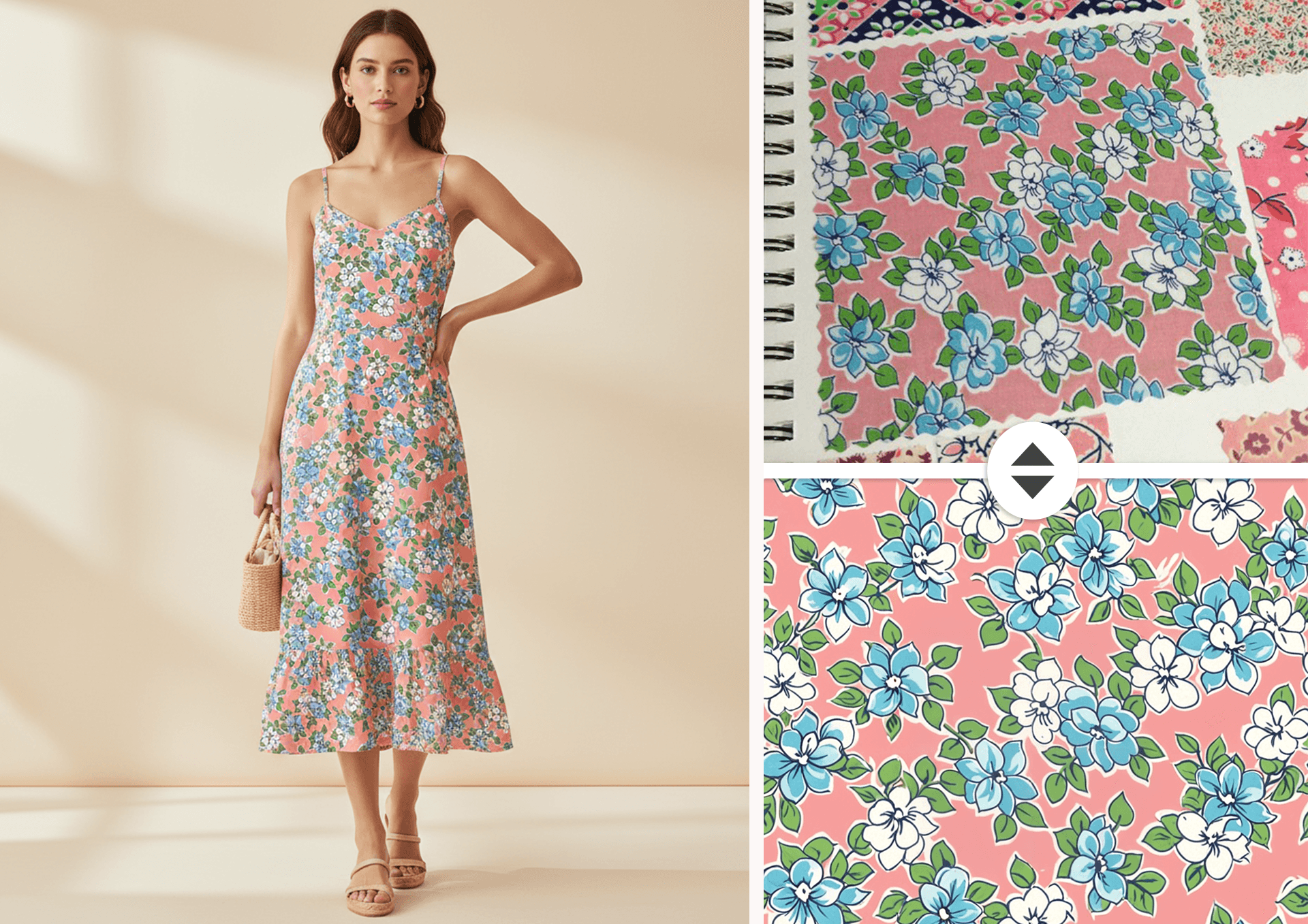
What From Image Does
From Image works with flat patterns, fabric photographs, product photos, scans, illustrations and other visual references.
Choose Exact Pattern when you want to recreate the design shown in your image as closely as possible. The AI analyses the reference, identifies its motifs, colours and composition, and reconstructs it as a clean seamless tile.
Choose Create Variation when you want to use the reference as inspiration rather than reproduce it. Patterned AI analyses its visual language — including the overall style, motif types and colour palette — and generates a new, related pattern with its own composition, details and arrangement.
Think of Create Variation as producing another design from the same creative brief, rather than an exact copy or simple recolour.
This makes From Image useful both when you have a visual reference that is not yet a usable pattern and when you want to explore new directions from an existing aesthetic. You might recreate a vintage textile repeat, turn a printed product into a flat pattern, develop a companion design for an existing collection, or use an image you love as the starting point for something new.
Exact Pattern vs Create Variation
Exact Pattern
Use Exact Pattern when the design in your reference is what you want to preserve.
It is ideal for:
- extracting patterns from fabric photographs
- recreating prints shown on products
- digitising vintage or archival textiles
- rebuilding patterns from scans or reference images
- turning an existing design into a clean seamless tile
The AI aims to retain the overall motifs, colours, style and composition of the source while rebuilding it into a usable repeating pattern.
Create Variation
Use Create Variation when you like the creative direction of a reference but want a new design rather than a reproduction.
It is useful for:
- developing companion patterns for an existing collection
- exploring variations of your own artwork
- creating new directions from vintage references
- using fabric or product photos as creative inspiration
- experimenting with a particular colour palette, motif style or visual aesthetic
The generated pattern keeps the overall visual language of the reference while varying motif details, spacing, composition and arrangement to create a related but distinct design.
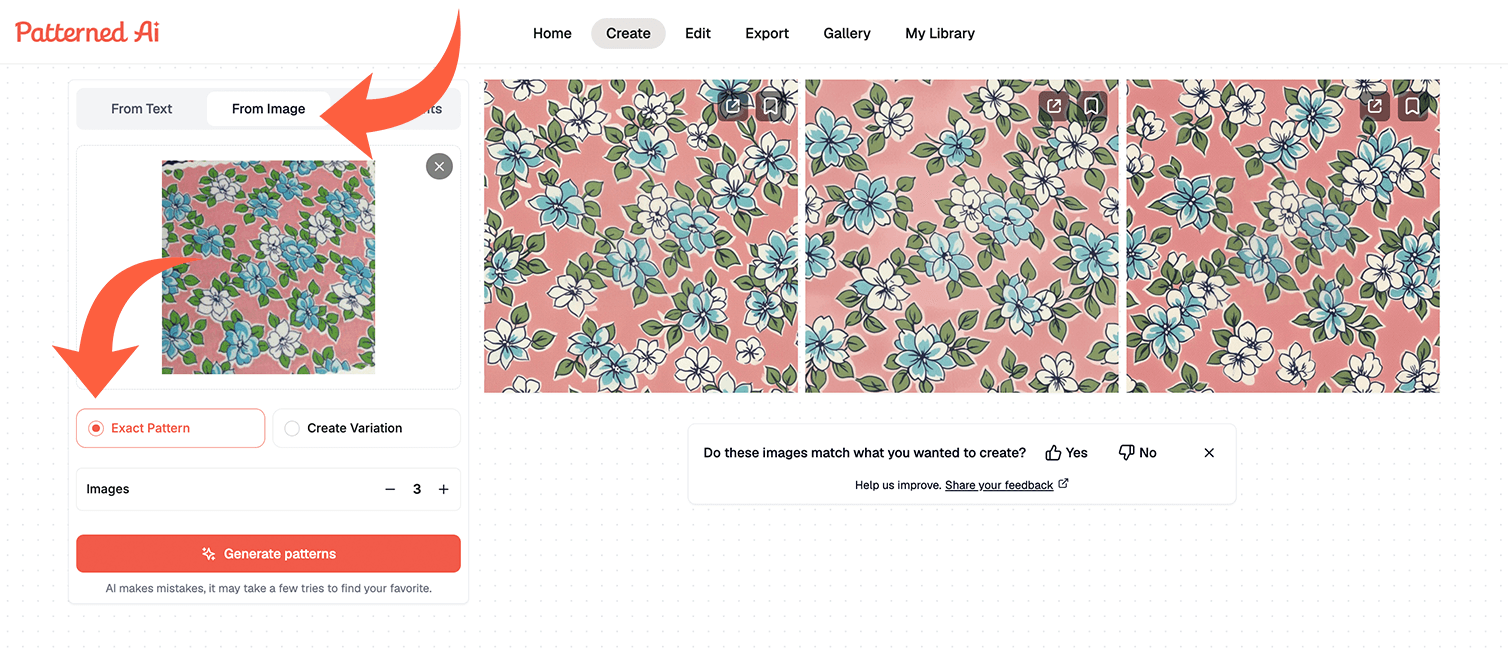
How to Use From Image
1. Open the Create tab and select the From Image tool or choose From Image from drop-down menu
2. Upload your reference image. This can be a flat pattern, fabric photo, product image, scan, illustration or other image featuring a design you want to work from.
3. Crop your image if needed. Keep the relevant pattern or printed area in the frame and remove unnecessary background or surrounding objects where possible.
4. Choose how you want to use the reference:
- Select Exact Pattern to recreate the original design more closely.
- Select Create Variation to generate a new pattern inspired by its style, motifs and colour palette.
5. Generate your seamless pattern.
6. Download your pattern file or continue refining it with other Patterned AI tools.
After creating your pattern, use Recolor to explore new colorways, Edit to adjust specific details, Upscale to prepare the file for larger print formats, or Vectorise if you need SVG files and separated color layers for production.
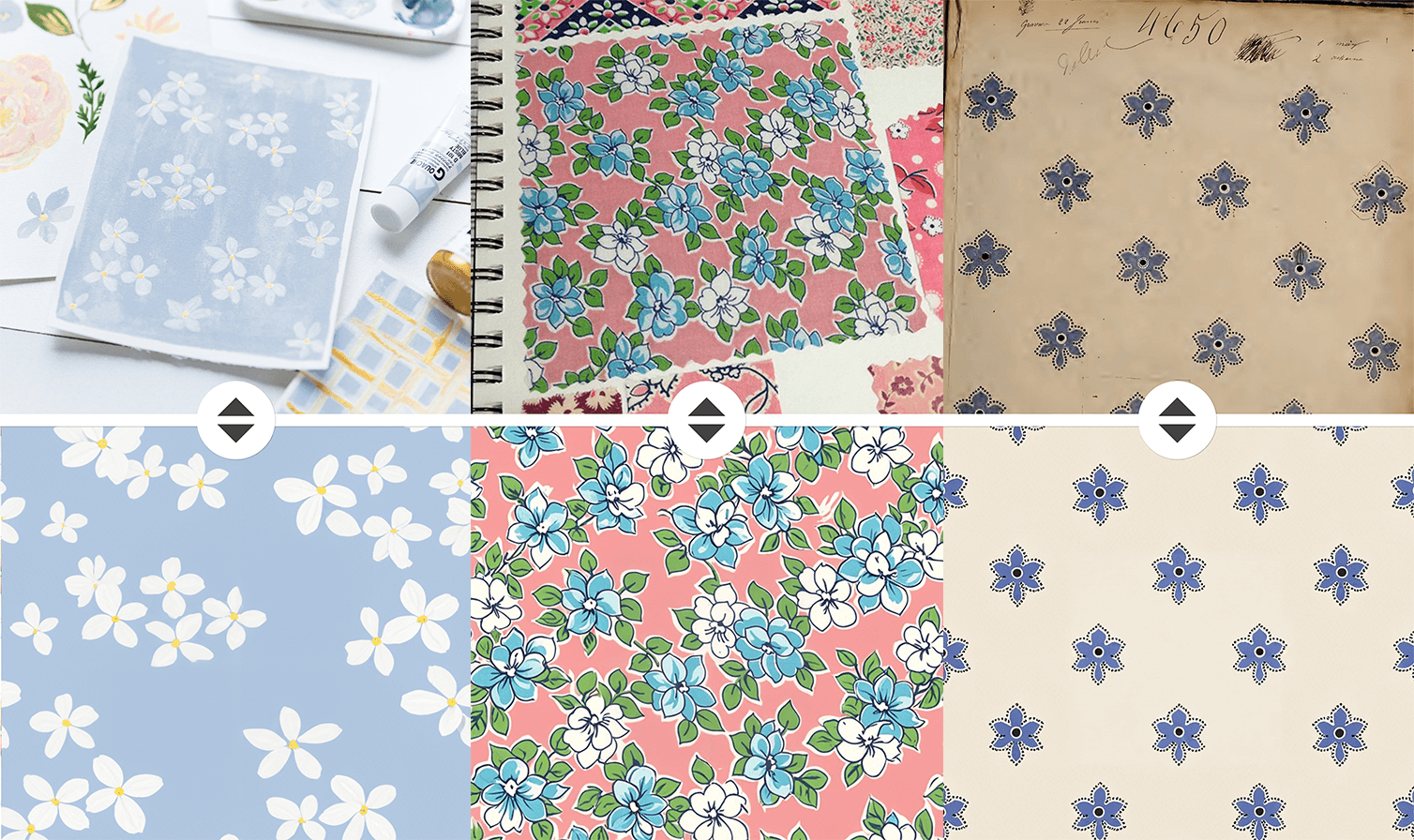
When to Use From Image Compared to Fix Seams and From Elements
From Image is best when you want an existing image to become the creative foundation of your pattern. You can recreate the design more closely with Exact Pattern or reinterpret its visual language with Create Variation.
Fix Seams is designed for patterns that already exist as flat images but do not repeat cleanly. It keeps the centre of your pattern intact and adjusts the edges so the tile repeats seamlessly.
From Elements gives you more precise control over composition by letting you build a repeat from specific assets. It is ideal when you already have finished elements — such as illustrations created in Procreate, logos or individual motifs — and want to arrange them into a pattern.
Use Cases for From Image
From Image is useful whenever you want to work from an existing visual reference rather than starting with a text prompt or blank canvas.
Common use cases include:
- Extracting patterns from fabric photos — turn photographs or archival textile references into clean, repeatable designs.
- Recreating patterns from products — work from prints found on clothing, packaging, wallpaper or other surfaces.
- Digitising vintage designs — rebuild vintage swatches, archive textiles or scanned references as usable seamless patterns.
- Developing existing artwork — use your own patterns or illustrations as a starting point for related designs.
- Building pattern collections — create companion prints that share the style, motifs and colour language of an existing design.
- Exploring visual inspiration — upload an image whose aesthetic you love and use Create Variation to translate that direction into a new pattern.
From Image is designed for designers who do not always want to start from scratch. Sometimes you need to recreate what is already there; other times, you simply want to reinterpret what inspired you.
With Exact Pattern and Create Variation, you can choose the approach that fits your project and turn flat patterns, fabrics, product photos and visual references into seamless designs ready for further editing or production.
Whether you are rebuilding an archival textile, extracting a print from a product photo, developing a pattern collection or exploring a new creative direction, From Image gives you a faster way to turn existing imagery into usable seamless patterns for fabric, wallpaper, packaging, stationery and other surface design projects.