How to Use AI for Textile Design in 2026/27

AI is changing how textile designers work. But that doesn't mean it has to replace the designer.
In fact, one of the most useful ways to think about AI in textile design is as a tool for taking care of the repetitive, time-consuming parts of the workflow, while you stay in control of the creative decisions. So instead of asking AI to design everything for you, why not use it to help you explore more ideas, create variations, and get production work done faster?
Here are six ways you can use AI in your textile design workflow in 2026:
1. EXPLORE MORE PATTERN VARIATIONS
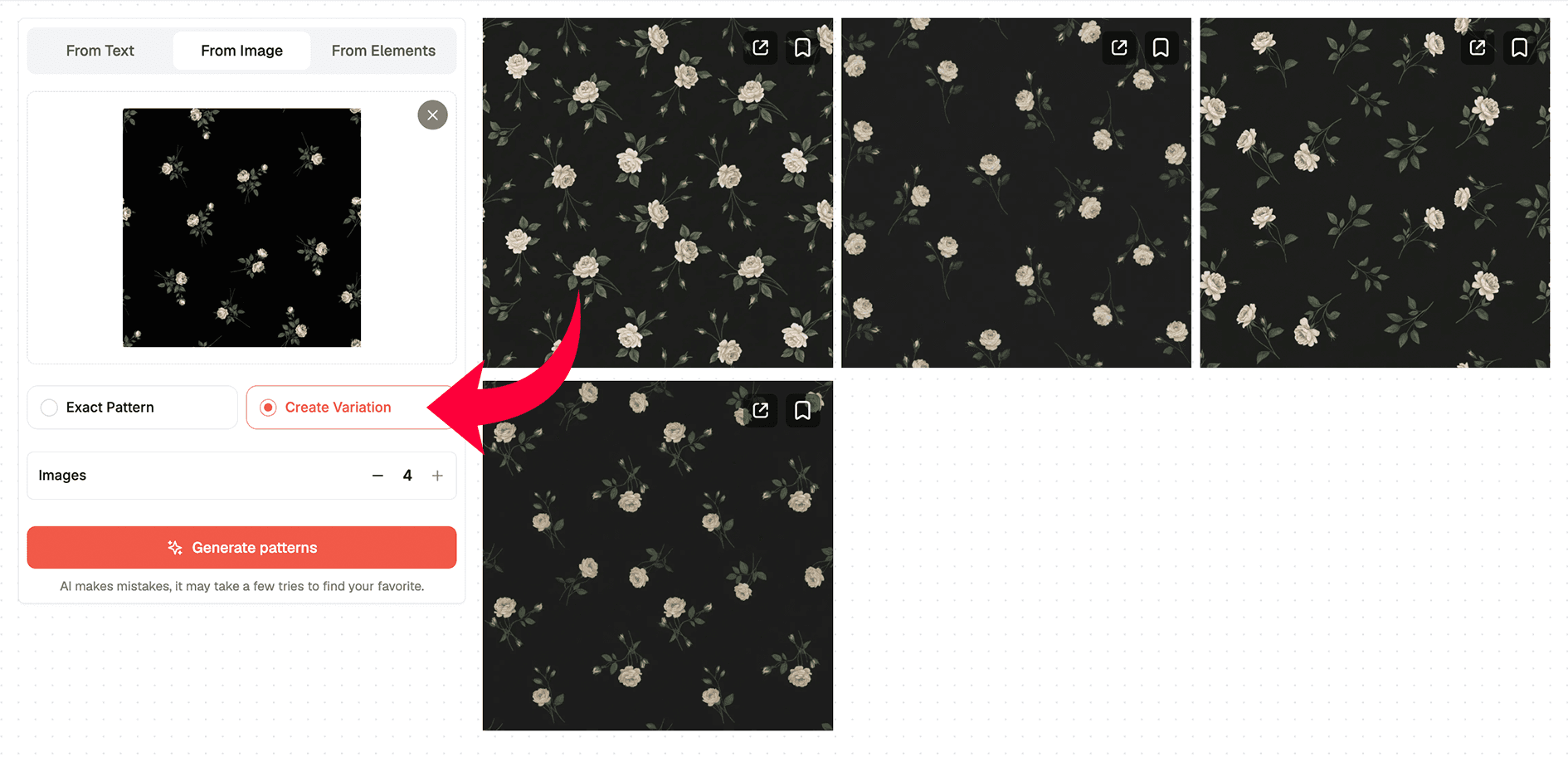
Sometimes you find a pattern, artwork, or reference that sparks an idea, but you want to explore where that idea could go. With PatternedAI's From Image tool, you can create variations from an existing pattern or reference.
You can experiment with different versions while keeping the original inspiration as your starting point. Instead of manually recreating every variation, AI can help you explore possibilities much faster.
2. CREATE COLORWAYS
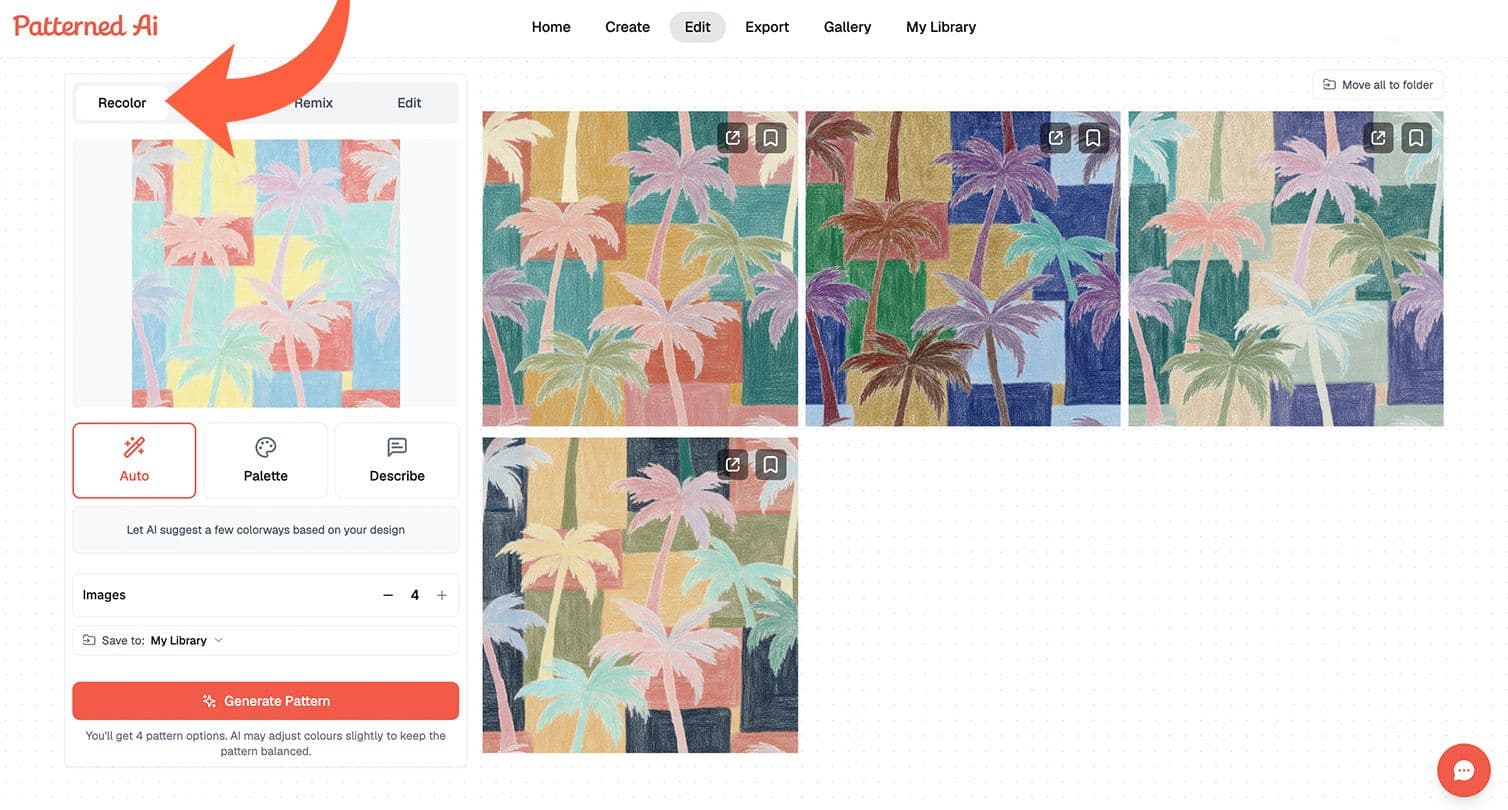
Another repetitive task is creating different colorways for a client. You might have a pattern that works perfectly, but your client wants it in three, five, or ten different color combinations.
With AI, you can quickly recolor the same design and explore multiple options without rebuilding the pattern from scratch. You stay in control of which colors work; the AI just makes the process much faster.
3. REFRESH EXISTING PATTERNS
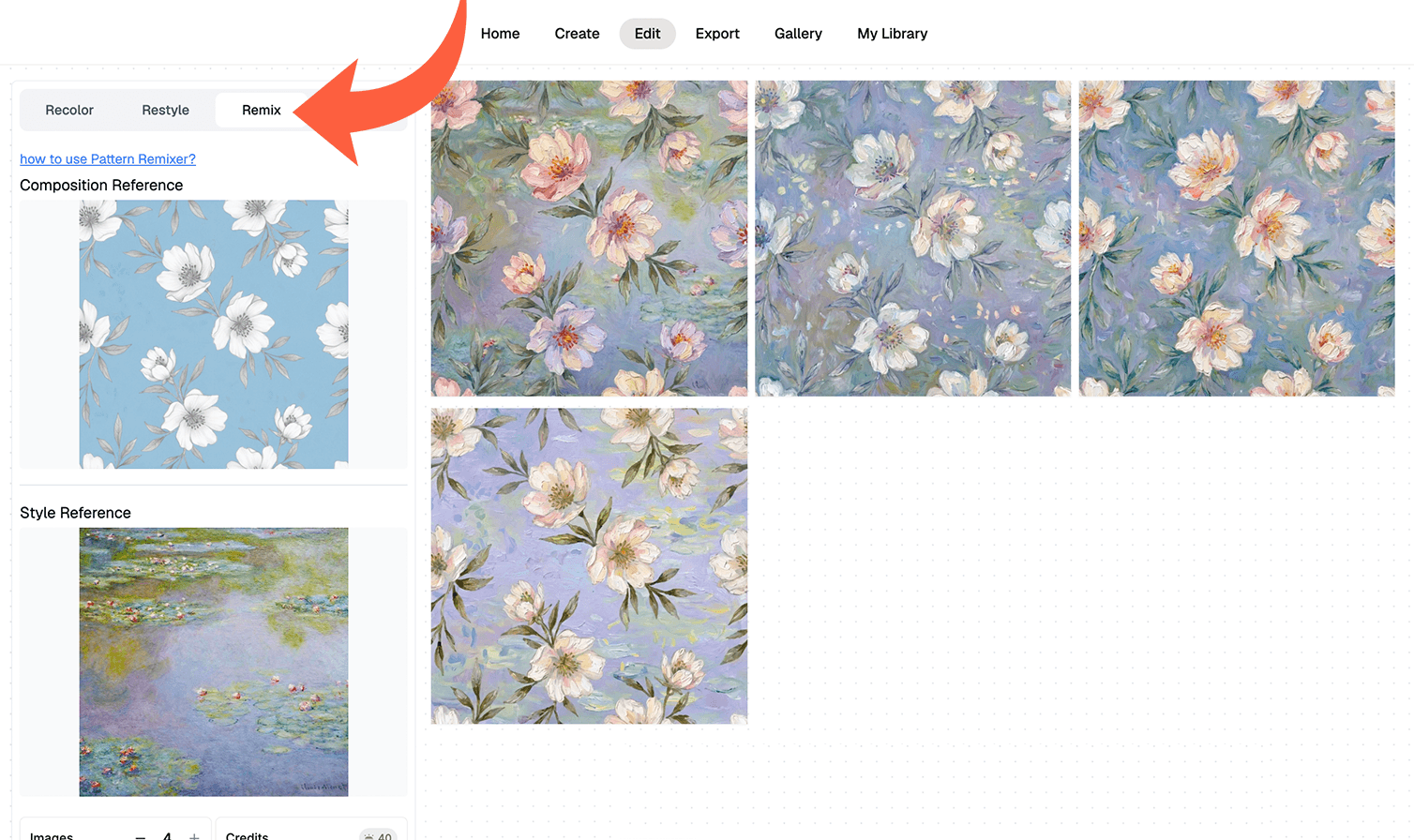
What if you already have a pattern in your portfolio, but want to give it a new direction?
Instead of starting over, you can use Remix to refresh existing artwork and combine it with new creative influences. This can be useful when you're developing a new collection or looking for a fresh take on something you've already created.
Your original work becomes the starting point, while AI helps you explore where it could go next.
4. SEE YOUR PATTERN BEFORE YOU PRINT IT
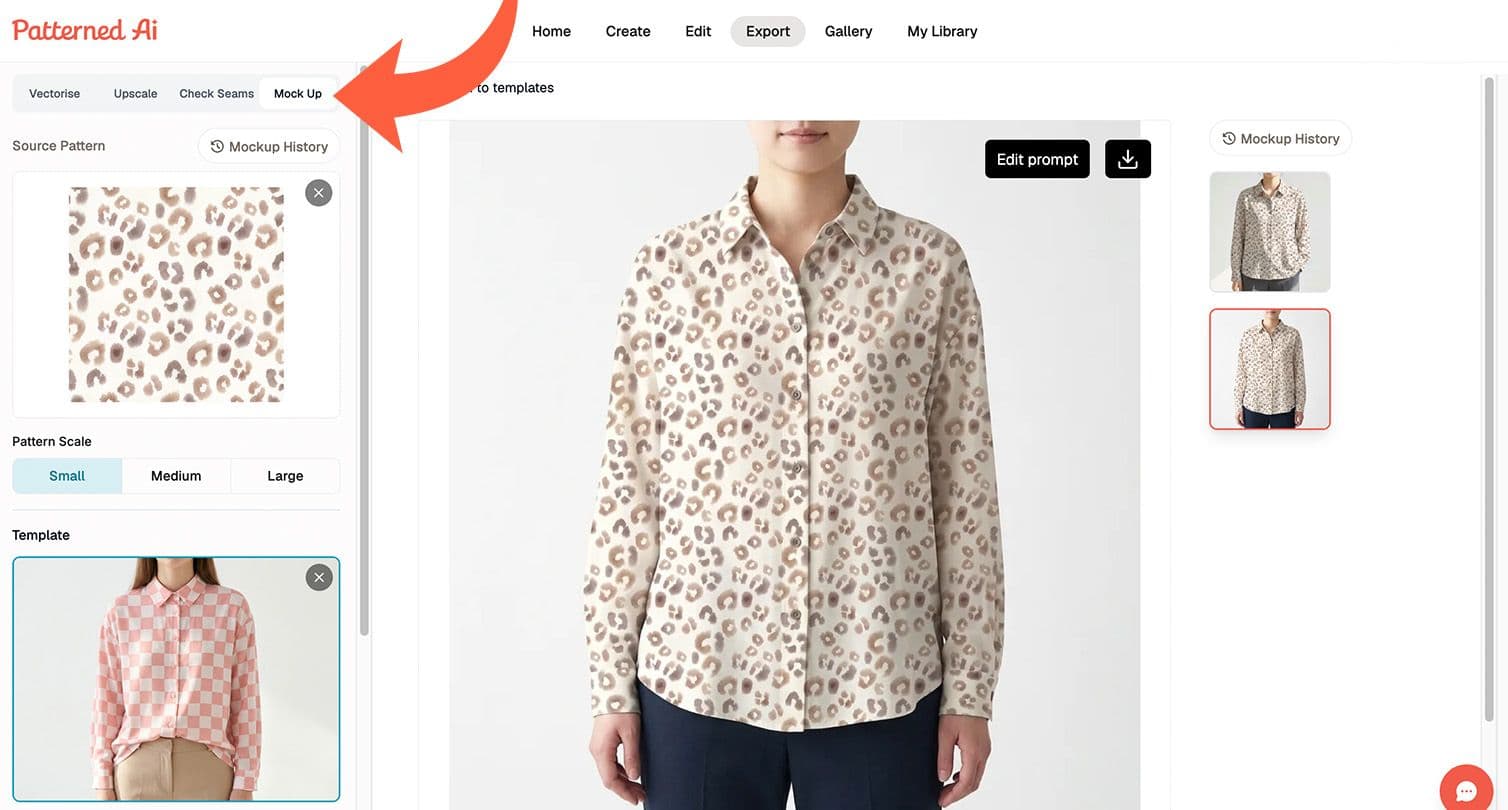
Before sending a design to production, you want to know how it will actually look on a product. That's where mockups come in.
You can place your pattern onto products and materials to preview how it works in context. This is useful not only for making design decisions, but also for client presentations and building your portfolio, so instead of asking your client to imagine the finished product, you can show them.
5. UPSCALE FOR PRODUCTION
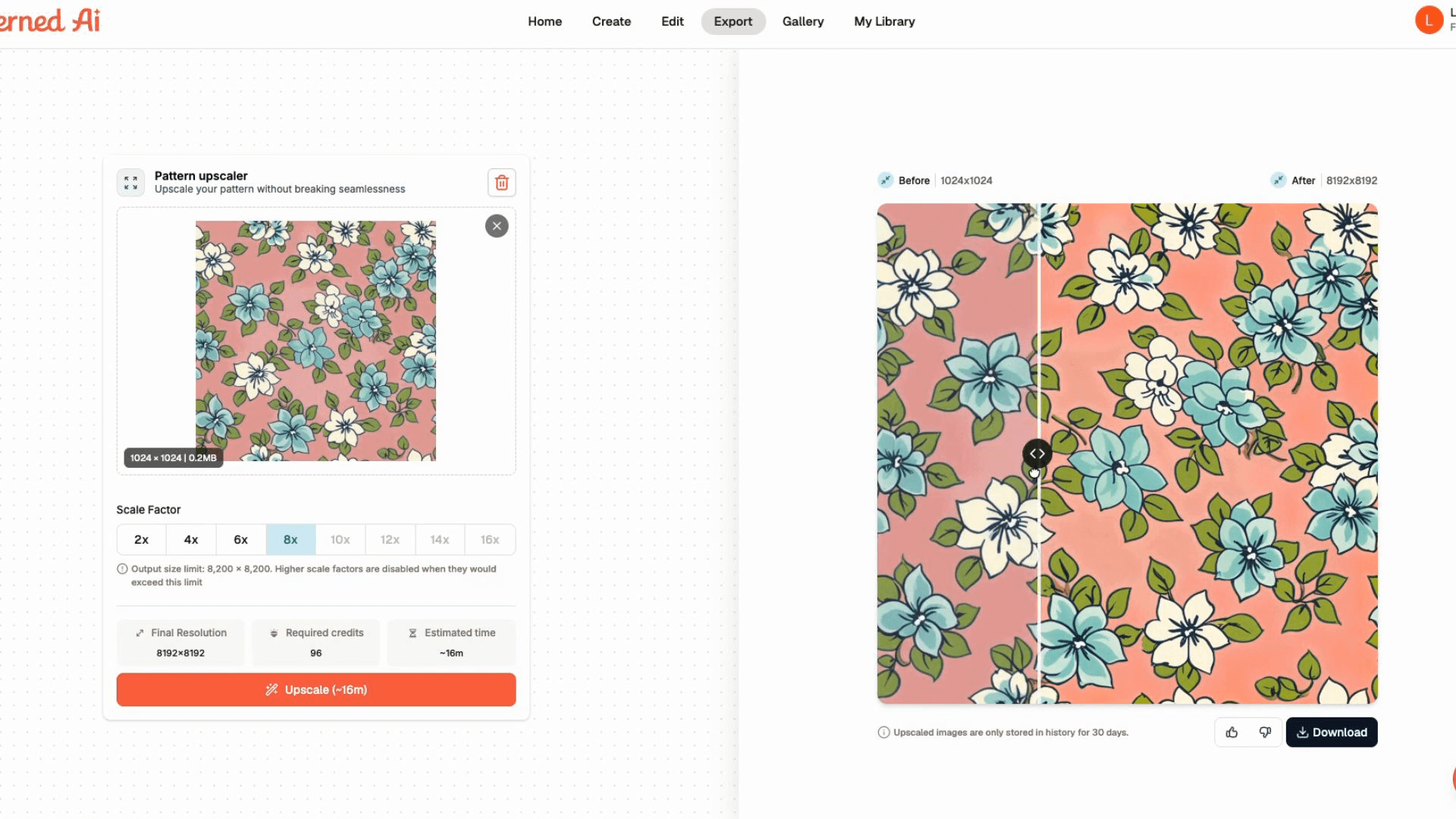
AI can also take care of some of the more technical parts of preparing artwork.
For example, if your pattern is too low-resolution for its intended print size, you can use an AI upscaler to increase its resolution while preserving the design. That means less time spent manually troubleshooting image quality and more time working on the design itself.
6. VECTORISE AND PREPARE FOR PRODUCTION
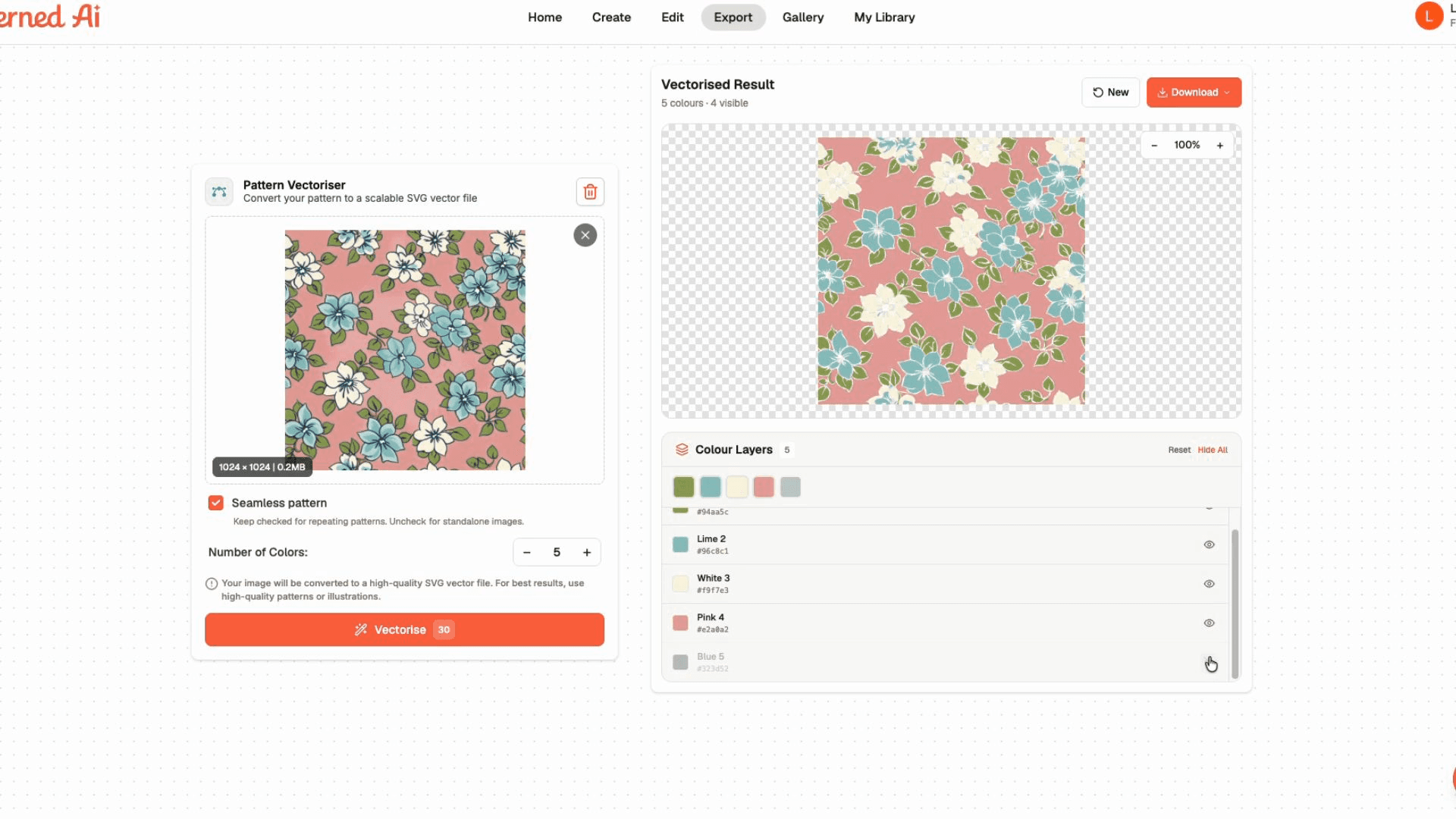
And finally, there's vectorisation.
Rotary printing and other production workflows may require clean vector artwork with separated colors. PatternedAI's Vectoriser can convert your artwork into vector files while giving you control over the number of colors and providing separated color layers ready to work with in Adobe Illustrator.
That's another technical step you can outsource to AI instead of doing it manually.
AI AS YOUR ASSISTANT, NOT YOUR REPLACEMENT
The point isn't to let AI make every creative decision for you. It's to let it handle the parts of the workflow that don't need all of your attention.
Explore more variations.
Create colorways.
Refresh existing work.
Preview your designs.
Upscale artwork.
Prepare production files.
You remain the designer. AI simply gives you more room to focus on the creative work that matters. And in 2026, that's one of the most useful ways to think about AI in textile design.