Recolor Seamless Patterns Instantly with AI

Sometimes a pattern is almost there. The composition works, the repeat feels balanced, but the colors need a different direction.
Maybe the print needs to feel softer, more seasonal, more elevated, or better aligned with a brand palette. Maybe you want to create several colorways for one collection. Or maybe a client loves the design, but not the original colors.
With Recolor, you can take an existing seamless pattern and quickly transform its palette while keeping the repeat intact.
Instead of manually selecting elements, adjusting layers, and testing color combinations one by one, Recolor gives you a faster way to explore variations. Upload your pattern, choose how you want to guide the colour change, and generate new versions you can refine, download, and use across products.
How Recolor Works
Recolor is PatternedAI’s AI pattern recoloring tool. It is designed to help you create new colorways from seamless patterns while preserving the structure of the original design. It keeps the layout, repeat, and overall design in place, while changing the palette to suit a new mood, season, product, or brief.
Editing seamless patterns can sometimes break the repeat, creating visible lines at the edges. Recolor avoids this by preserving the original structure while updating the palette, so your pattern stays clean, repeatable, and ready for use.
A floral print could become a soft pastel nursery pattern, a dark romantic wallpaper, a warm autumn textile, or a clean neutral packaging design. The artwork stays familiar, but the feeling changes completely.
Recolor is useful both at the creative stage, when you are still testing directions, and at the production stage, when you need polished variations for clients, products, or final files.
Choose the Right Recoloring Mode
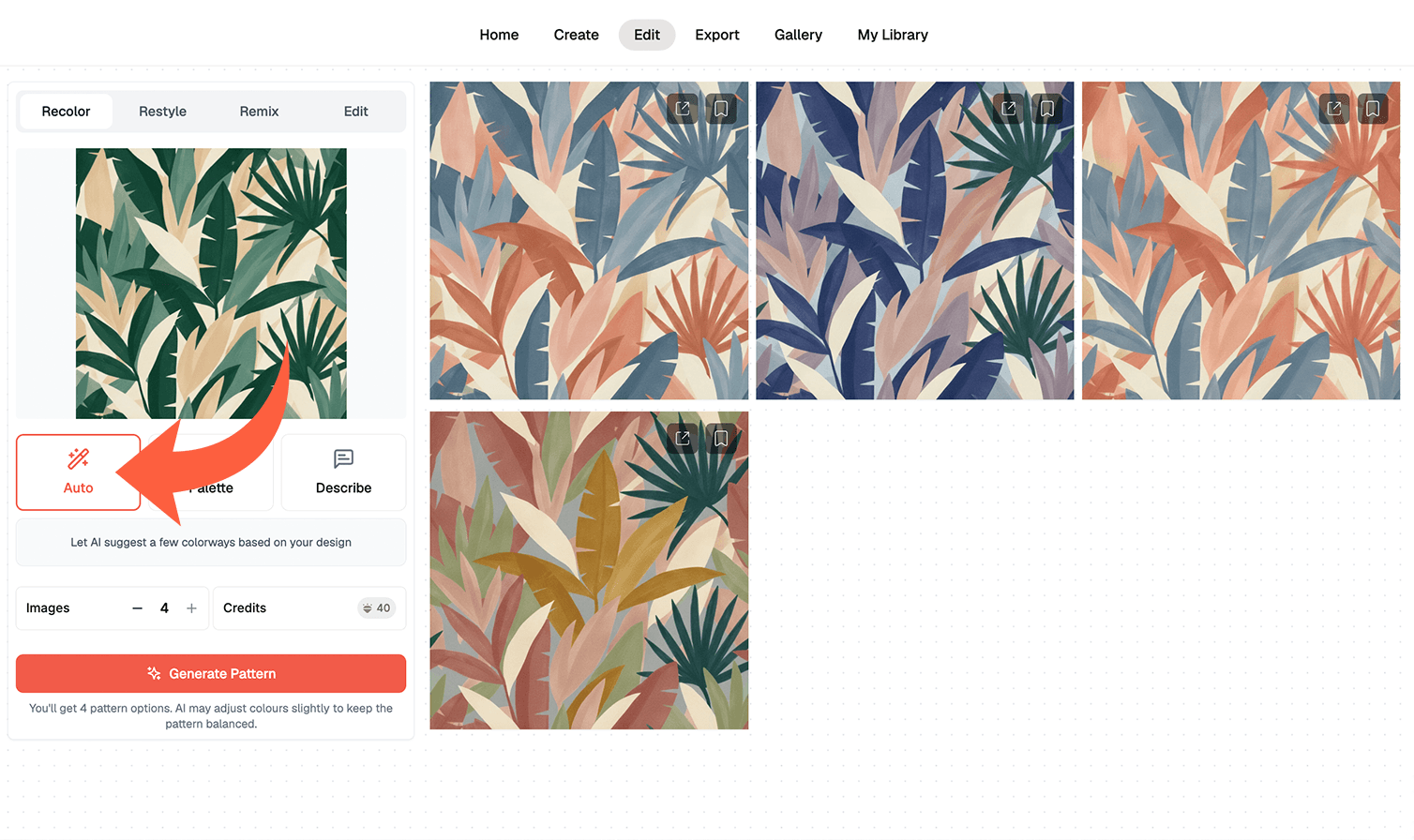
To use Recolor, upload a seamless pattern tile and choose one of the available recoloring modes. You can let AI suggest new colorways automatically, guide the result with a chosen palette, or describe the colors you want in words.
Auto Mode
Auto Mode is the quickest way to discover new palette ideas. The AI generates fresh colorway options for your pattern, helping you see possibilities you may not have planned manually. This is useful when you have a finished design but are not sure which palette works best.
Auto Mode, available on the Standard plan, works like a shuffle tool. You simply click a button and the AI generates creative, random colour variations, making it perfect for inspiration and exploring different colour schemes.
Palette Mode
Palette Mode gives you more control. You can work with curated palettes, exact HEX codes, or import an existing palette file to guide the recolouring process. Supported formats include .ase, .aco, .gpl, .sketchpalette, .swatches, .json, .txt, and .css.
This is the best option when you need a pattern to match a specific brand palette, seasonal colour story, client request, or product range — or when you already have a palette saved in another design tool.
Pro tip: for best results when using HEX codes, specify how each colour should be used — for example, background, flowers, leaves, or details.
Palette and Describe Modes are available on Pro and Business plans.
Describe Mode
Describe Mode lets you guide the color change with a simple text prompt. Instead of entering exact colors, you can describe the mood or aesthetic you want.
For example:
“muted coastal blues and ivory”
“warm autumn earth tones”
“soft vintage pastels”
This mode is useful when you know the feeling you want, but do not want to build the palette manually. It gives you a more intuitive way to move from an idea or moodboard direction into an actual colorway.
Why Recoloring Matters for Pattern Design
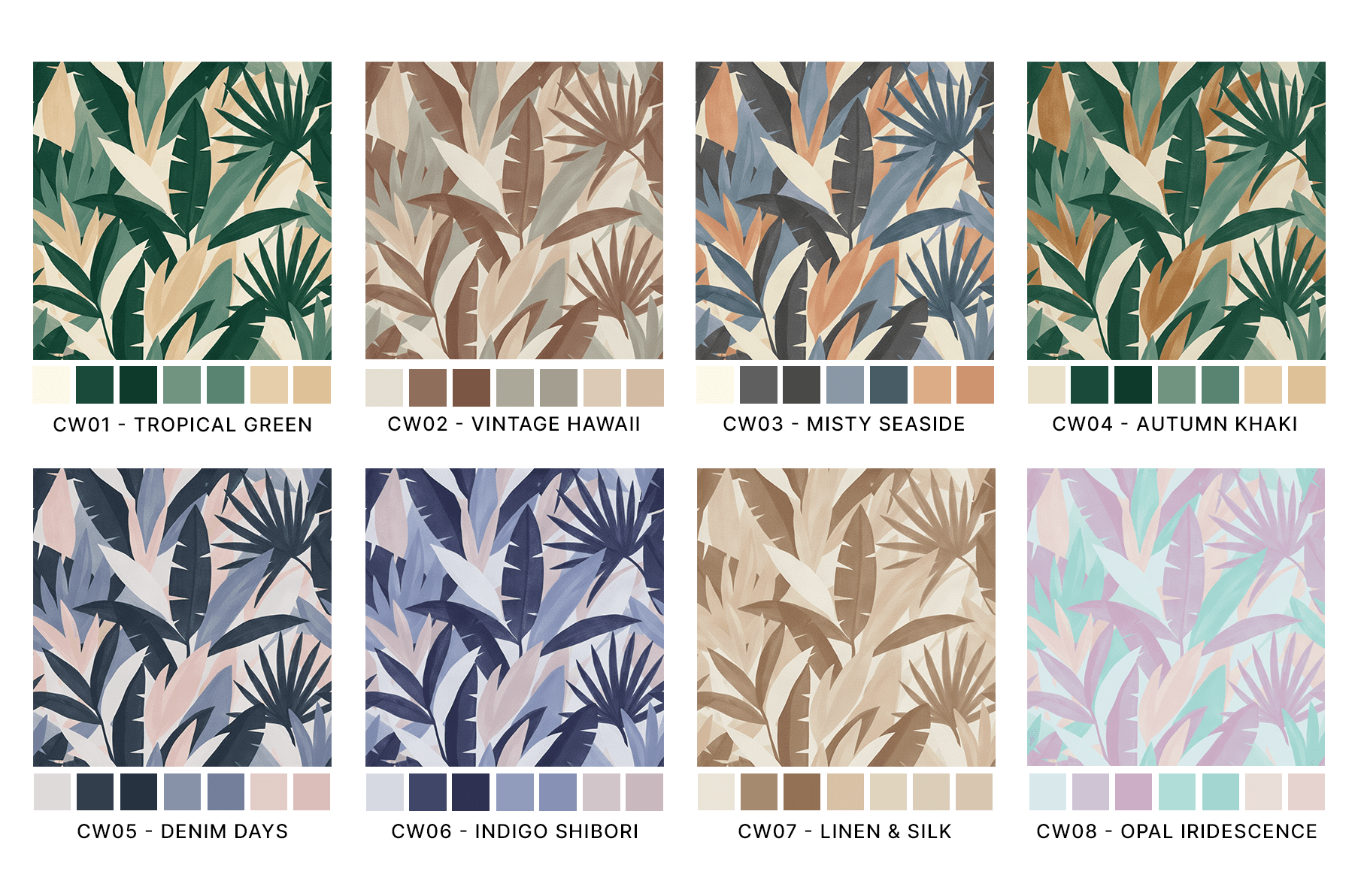
Color has a huge effect on how a pattern is perceived, and the same print can look playful, elegant, vintage, youthful, luxurious, or seasonal depending on the palette. A bright version may be perfect for summer clothing, a softer version may suit baby products, a darker version may feel more appropriate for interiors, and a neutral version may be easier to use for packaging or home textiles.
Recolor helps you test these possibilities quickly without losing the original design or spending hours making manual color adjustments. Design teams can also use Recolor to create more cohesive collections by applying related palettes across multiple prints, helping unify florals, geometrics, textures, conversational designs, or coordinated pattern sets into a consistent visual story.
Recolor lets you turn one pattern into multiple colorways for different uses, seasons, or audiences. Once your design is ready, you can then prepare your pattern for production with tools like Upscale or Vectorise.