Restyle & Remix: Transform Your Old Patterns with AI

Refreshing your existing pattern archive is just as important as creating new designs. With the right tools, you can revisit patterns you’ve already made and explore them through a completely different artistic aesthetic: shifting the style, updating the color mood, or reimagining the overall visual direction.
That’s where Restyle and Remix come in.
Available in the Edit tab, these two AI-powered tools help you transform existing patterns without starting over. Restyle lets you apply a new artistic direction to a pattern while keeping its layout intact. Remix lets you combine the composition of one seamless pattern with the style, aesthetic, and colors of another image.
Whether you are building a pattern collection, testing different visual directions, or refreshing an existing design, Restyle and Remix make it easier to create new variations from the patterns you already have. They are also ideal for adapting designs to new trends or seasonal themes, allowing you to refresh bestsellers instead of creating entirely new patterns from scratch.
Restyle: Give Your Pattern a New Artistic Direction
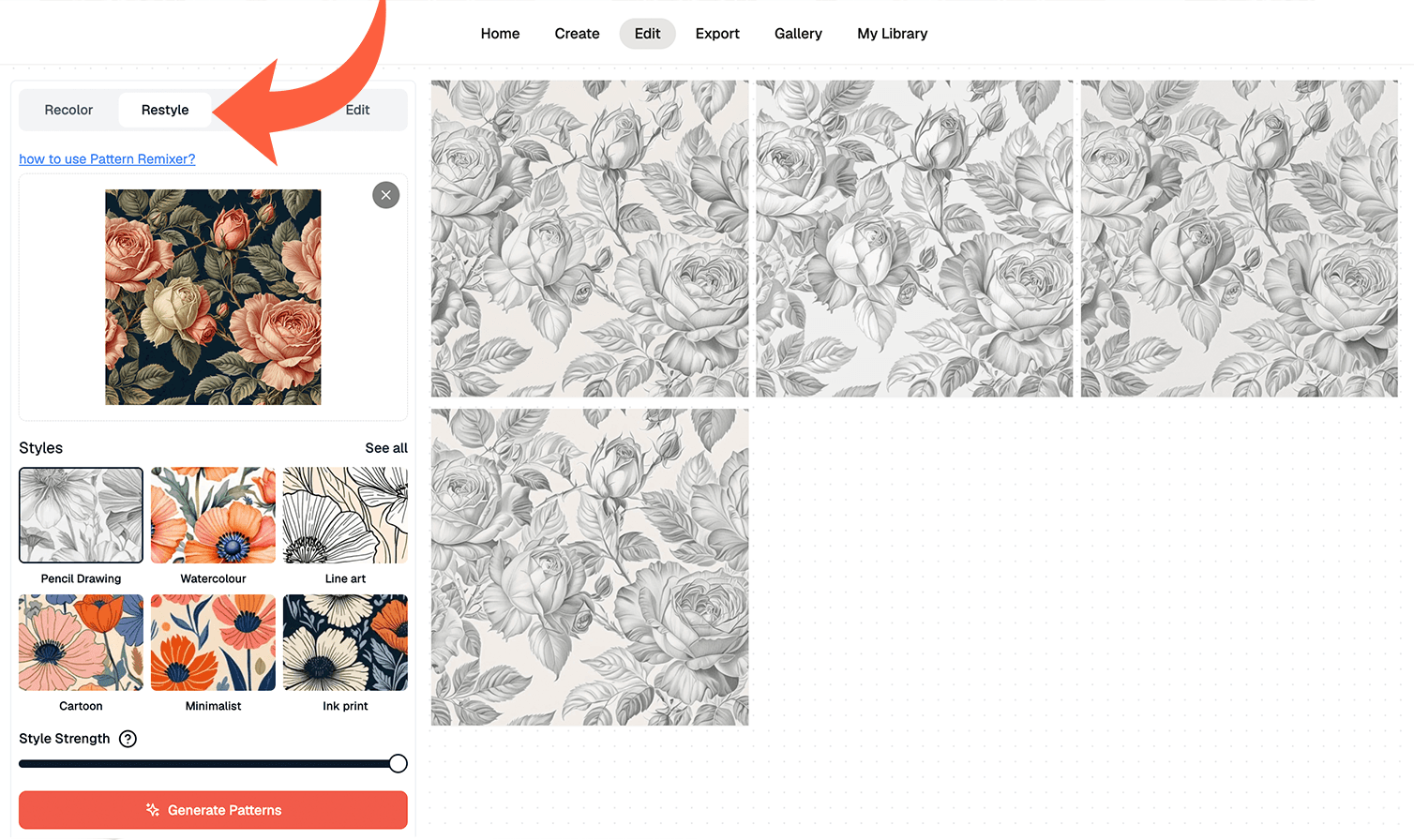
What Restyle Does
Restyle transforms your pattern into a completely new artistic direction while keeping the original layout intact. Upload any pattern, choose from 14 instant style presets, and the AI handles the rest. Skip redrawing, manual adjustments, and rebuilding your design from scratch.
This tool is ideal when you already like the composition and subject of your pattern but want to see it in a different visual style. For example, you can turn a bold digital vector floral into a soft watercolor print, a clean graphic pattern into a hand-drawn illustration, or a playful design into something more painterly and refined.
How to Use Restyle
- Open the Edit tab and select the Restyle tool or choose Restyle from drop-down menu
- Upload the pattern you want to transform.
- Adjust the Style Strength setting to control how strongly the style is applied. Lower values create a more subtle transformation, while higher values apply the new style more strongly.
- Generate your new patterns.
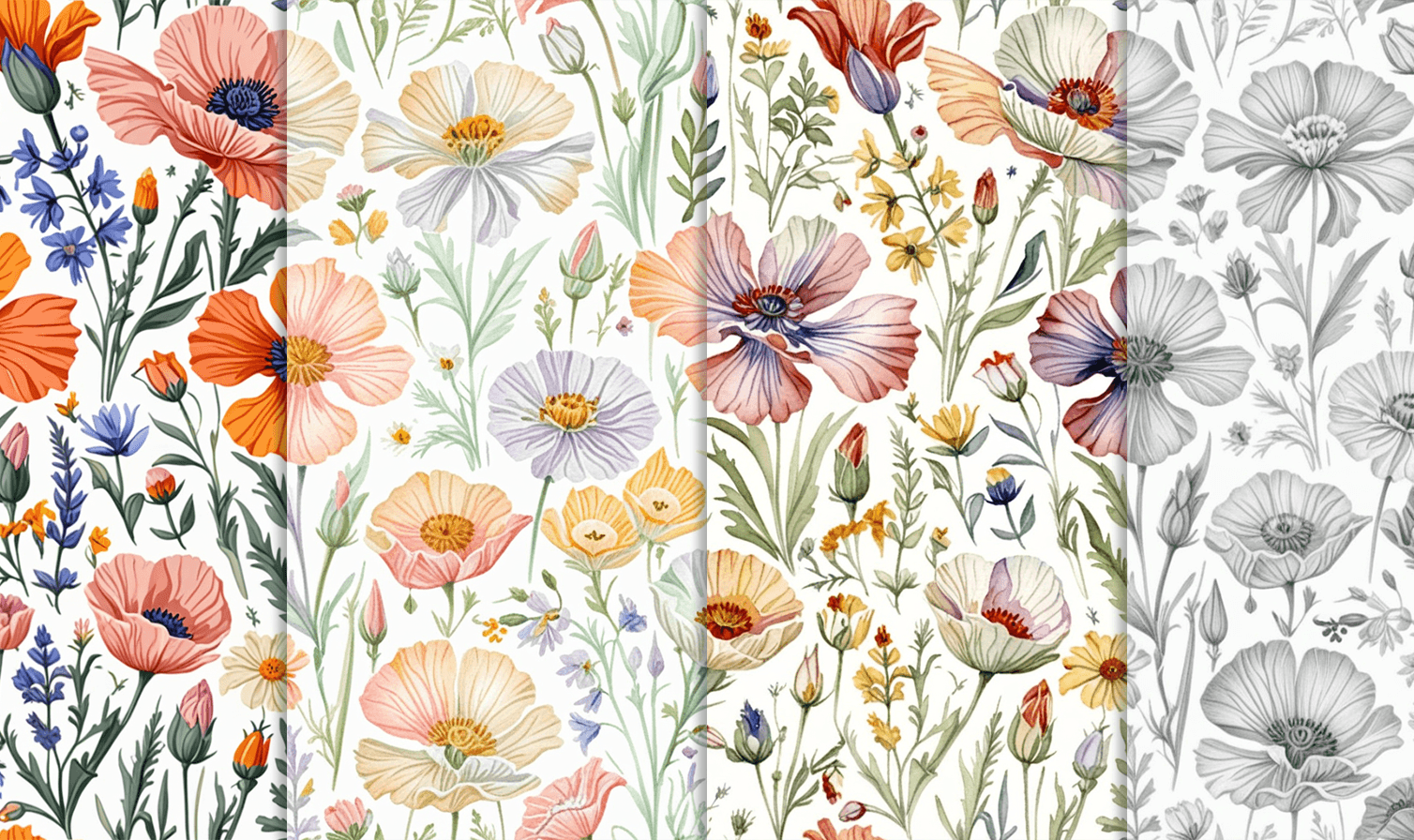
When to Use Restyle
Restyle is best for quickly creating new artistic versions of an existing pattern. You can use it to:
- Test different styles for the same design
- Create multiple versions of a pattern for different products and printing methods
- Refresh older designs with a trending aesthetic
Remix: Combine Composition and Style From Two Images
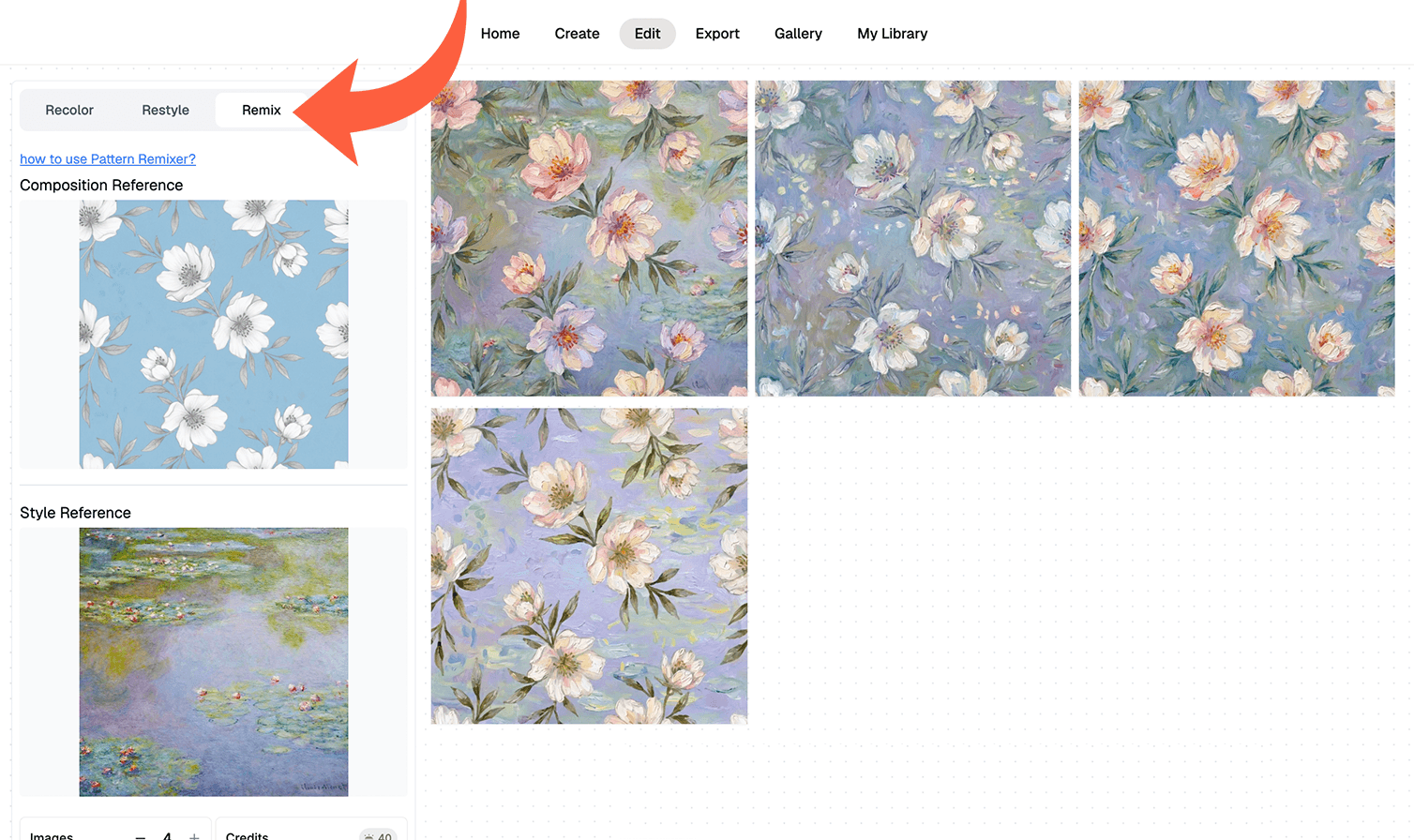
What Remix Does
Remix lets you combine the composition of one image with the style, aesthetic, and colors of another. It is designed for moments when you like the layout of one seamless pattern but want it to take on the visual direction of a different reference image.
The first image provides the composition. The second image provides the style.
For example, you could keep the layout of a floral seamless pattern but apply the color palette and painterly mood of a vintage illustration. Or you could use the structure of a geometric pattern and give it the texture, softness, and colors of a completely different image.
How to Use Remix
- Open the Edit tab and select the Remix tool.
- Upload your Composition Reference in the top box. This image must be a square seamless pattern with a minimum size of 1024x1024 px. The Composition Reference defines the layout and repeat structure of the final result.
- Upload your Style Reference in the second box. This image can be any ratio and does not need to be square or seamless. It only needs to be at least 1024 px on the shortest side. The Style Reference gives the AI the aesthetic direction, including the colors, mood, texture, and overall visual feel.
- Generate your result. The balance between composition and style is handled automatically, making the tool faster and easier to use.
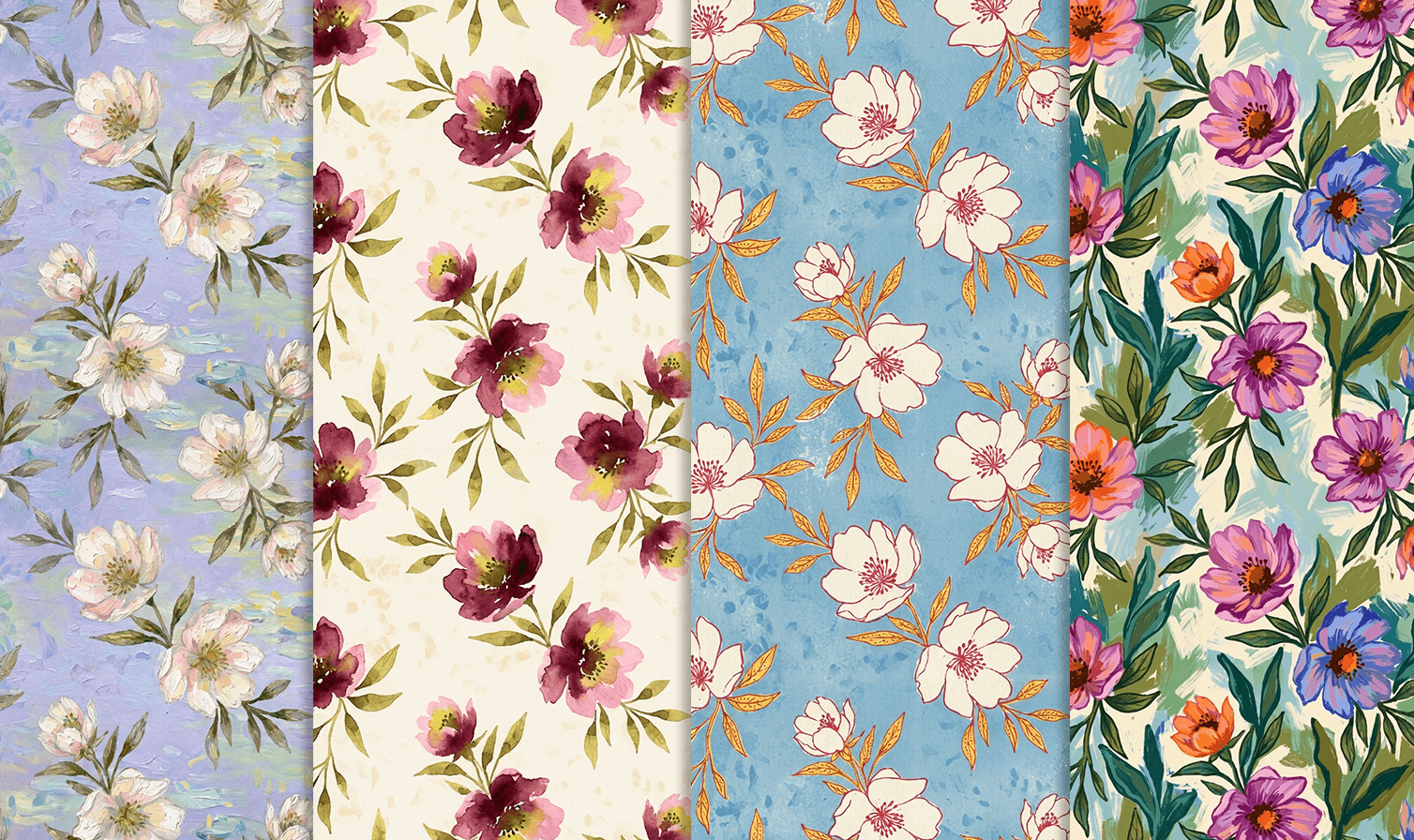
What Can You Use as a Style Reference?
Your Style Reference does not need to be another pattern. You can use many different types of images to guide the final look of your design.
You might use a painting for brushwork and atmosphere, a photograph for natural colors and lighting, a textile sample for texture, or a moodboard image for a specific palette and aesthetic. You can also use vintage illustrations, artworks, or other visual references that capture the style you want.
This makes Remix a flexible tool for building patterns around a specific brand direction, product collection, season, or creative mood.
Restyle vs. Remix: Which Tool Should You Use?
Restyle and Remix both help you transform existing patterns, but they work in different ways.
Use Restyle when you want to transform one pattern using a preset artistic style. The composition stays fixed, and you control how strongly the selected style is applied with the Style Strength setting.
Use Remix when you want to combine the pattern with your custom style and color reference. The Composition Reference must be a square seamless pattern, while the Style Reference can be any image that captures the look, color palette, texture, or mood you want to apply.
Whether you want to refresh an old design, restyle bestselling patterns to fit new trends, create style variations, or explore a completely new visual direction, Restyle and Remix help you turn existing patterns into fresh creative possibilities.